
Everything you need to know about WhatsApp Call Link
Call link is one of the useful features of WhatsApp that allows you to call a person through WhatsApp by clicking on a link. You can easily create a WhatsApp audio or video call link and share it with members of a group or with your friends and clients or other people.
This way, anyone who has a WhatsApp account can call you on WhatsApp (or join your call) by clicking on this link. In this article, you will learn how to create audio or video call links on WhatsApp and share it with others.
How to create WhatsApp Call Link?
To create a WhatsApp Call link and share it with others, just follow the below steps:
1. Go to the Calls tab in the WhatsApp application.
2. Tap Create call link.

3. After the previous step, a link similar to the image below will be randomly created on the new page. Tap Call type to change it.

Then choose one of the Voice or Video call types to create a new link.
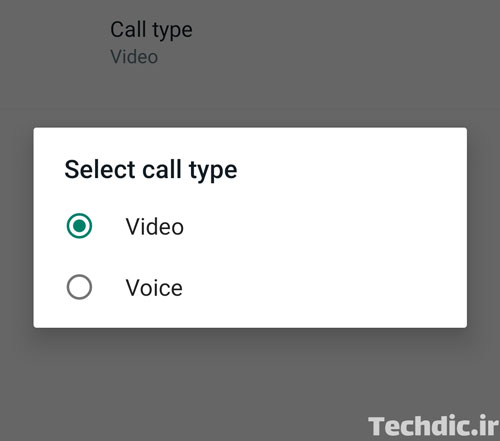
After that, a new call link will be created according to the selected call type.
4. At the end, you can share the created link with your target people through WhatsApp, SMS or other methods. Just tap on Send link via WhatsApp, Share Link or Copy Link option.

A few notes about the Call link
Call links are only supported on Android and iPhone versions of WhatsApp.
Every time you create a Call link using the above method, its URL will be different. Due to the length of these addresses, it is really hard to guess the address. So, unknown people can not join the call.
After creating the call link, you can copy or share it with others as long as you are on the page. So if you want to use this link in the future, save it in a safe place. However, if you forget the link URL, you can easily create a new link.
Anyone who has the address of your call link, can join the call. So be careful when sharing call links. Of course, don’t forget that users you have blocked on WhatsApp will not be able to join the call through these links.
If the call link is not used for 90 days, the link will expire automatically.
Is my guess true that creating a call link is a means to hide your phone number while to provide a chance to make calls?